WebShades
Color Palette Generator
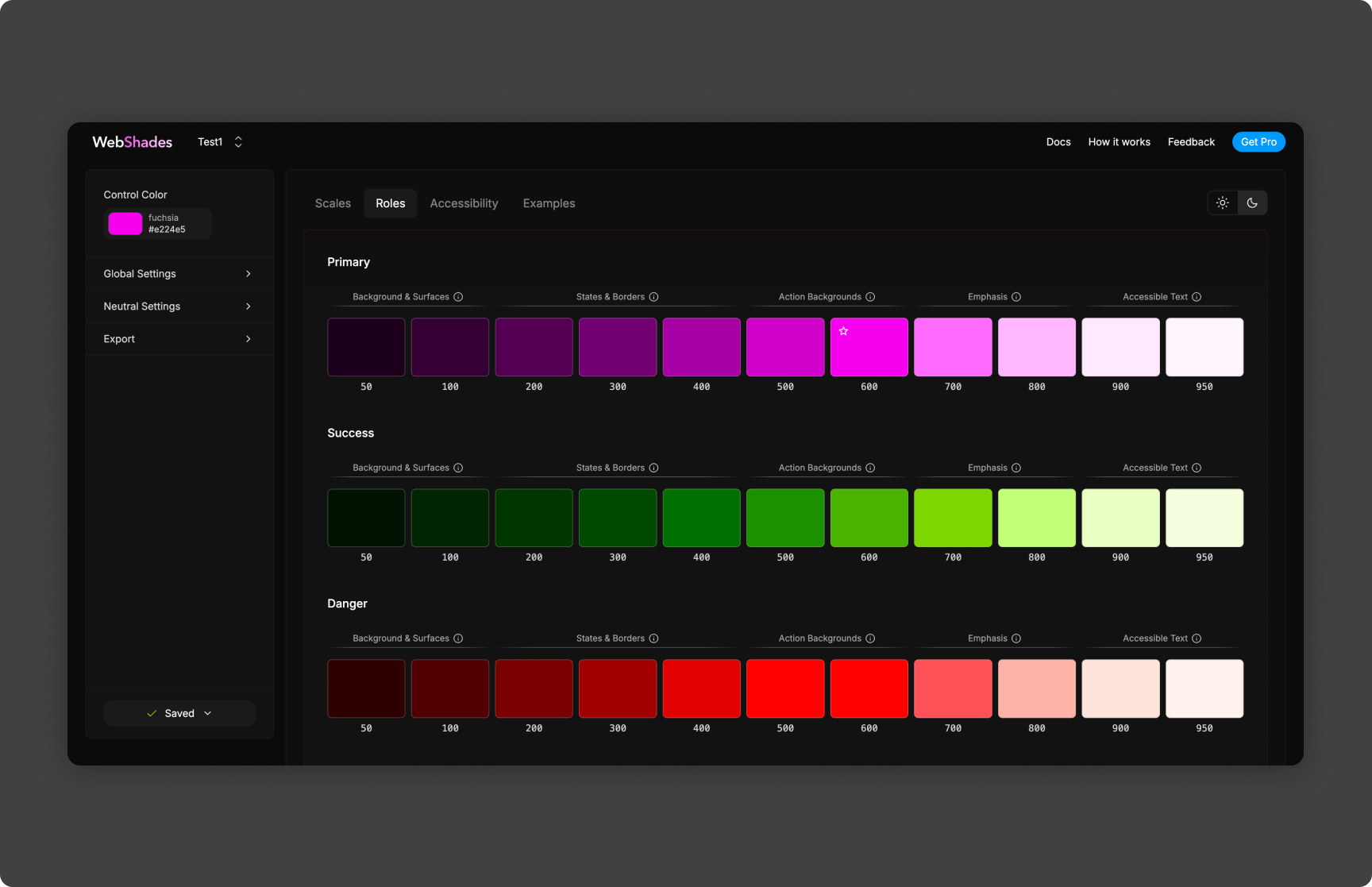
WebShades is a color palette generator designed to turn a single input color into a complete, production-ready color system. Rather than generating random swatches, WebShades produces structured color scales that can be used directly in design systems, component libraries, and themed applications.
The tool was built to bridge the gap between design experimentation and engineering constraints by generating predictable, reusable palettes from a single source of truth.
How It Works
At its core, WebShades takes a base color and generates a full tonal range by programmatically adjusting lightness and tone across a defined scale. Each generated color represents a deliberate step in that scale, allowing the palette to support common UI use cases such as backgrounds, text, borders, and interactive states.
The generation process is deterministic: given the same input color, WebShades will always produce the same palette. This makes it suitable for shared design systems where consistency and repeatability matter.
The resulting palette is structured in a way that mirrors how real-world design systems are consumed, rather than producing loosely related color variations.
Palette Structure
WebShades outputs a full color scale rather than isolated colors. Each palette includes:
A range of lighter and darker tones derived from the base color
Consistent spacing between tonal steps
A predictable ordering that supports usage patterns like:
Light surfaces
Neutral backgrounds
Primary accents
Hover and active states
High-contrast text
This structure allows the palette to be applied systematically instead of manually selecting colors per component.
Designed for Design Systems
WebShades was built with design systems in mind. The generated palettes are intended to map cleanly to semantic roles such as:
Surface colors
Text colors
Border and divider colors
Emphasis and accent states
Because the palette originates from a single base color, teams can theme an entire application by swapping one input value while preserving internal consistency across the system.
Features
Single-Input Generation
Users provide one base color, and WebShades generates the full palette automatically—removing the need to manually tune individual shades.
Predictable, Repeatable Output
The same input color always results in the same palette. This ensures consistency across environments, builds, and collaborators.
UI-Focused Scales
The generated palettes are optimized for real UI usage rather than artistic exploration, making them suitable for production interfaces.
Rapid Iteration
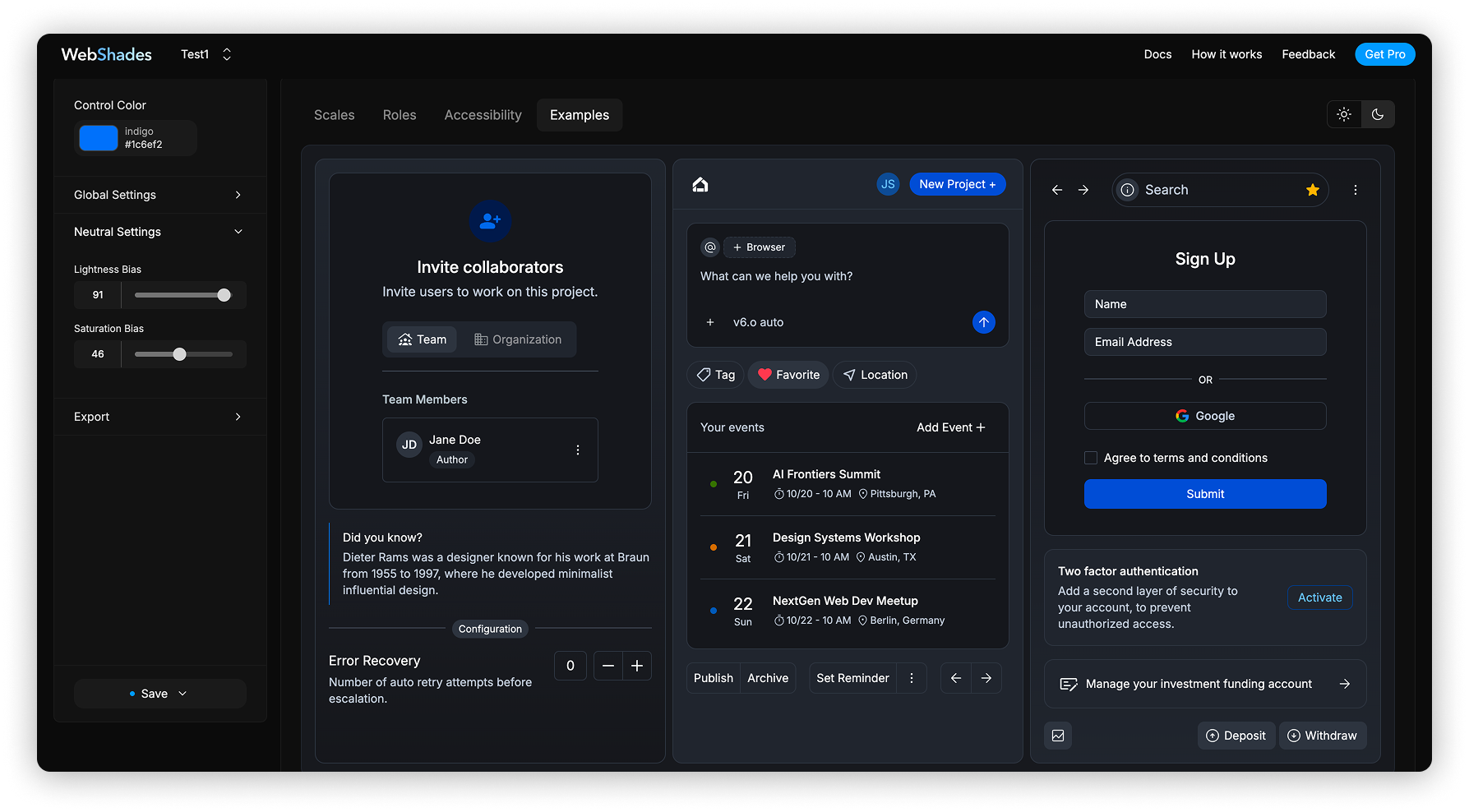
Designers and developers can quickly test different base colors and immediately see how an entire system adapts, which is especially useful during early design exploration or theming work. I also built out dynamic react dashboard that is hooked into the the theme dynamically so the users can see examples of their theme in real time.
Engineering-Friendly Output
The palettes are structured in a way that can be easily translated into CSS variables, design tokens, or configuration files for component libraries.
Technical Implementation
WebShades is built as a lightweight frontend application, using modern JavaScript tooling to handle color parsing, transformation, and rendering in real time.
Key technical considerations include:
Robust color parsing to support common input formats
Mathematical generation of tonal steps instead of manual presets
Stateless generation logic for predictability
Fast client-side updates for immediate feedback
The architecture keeps the generation logic decoupled from the UI, making it easy to extend or adapt the output format in future iterations.
Use Cases
Establishing a color foundation for a new design system
Quickly generating brand-aligned UI palettes
Supporting light and dark theme exploration
Providing a shared color reference for designers and developers
Rapid prototyping without sacrificing consistency