Color as a system
(4mo ago)
When I started working on color for a component library, I assumed what most people assume: color is a list of decisions. Pick a primary, pick a neutral, name them, document them, and move on.
That model broke down faster than I expected. A blue that worked well for a button or a selected state would look different as a border on a light surface or as a hover state on a dark one. Nothing looked obviously wrong, but things gradually drifted out of sync.
The issue turned out to be how the colors were chosen. Picking each one by hand works for individual moments but does not account for how colors relate to each other across the whole interface, and those relationships are what make a design feel consistent.
Deriving colors instead of picking them
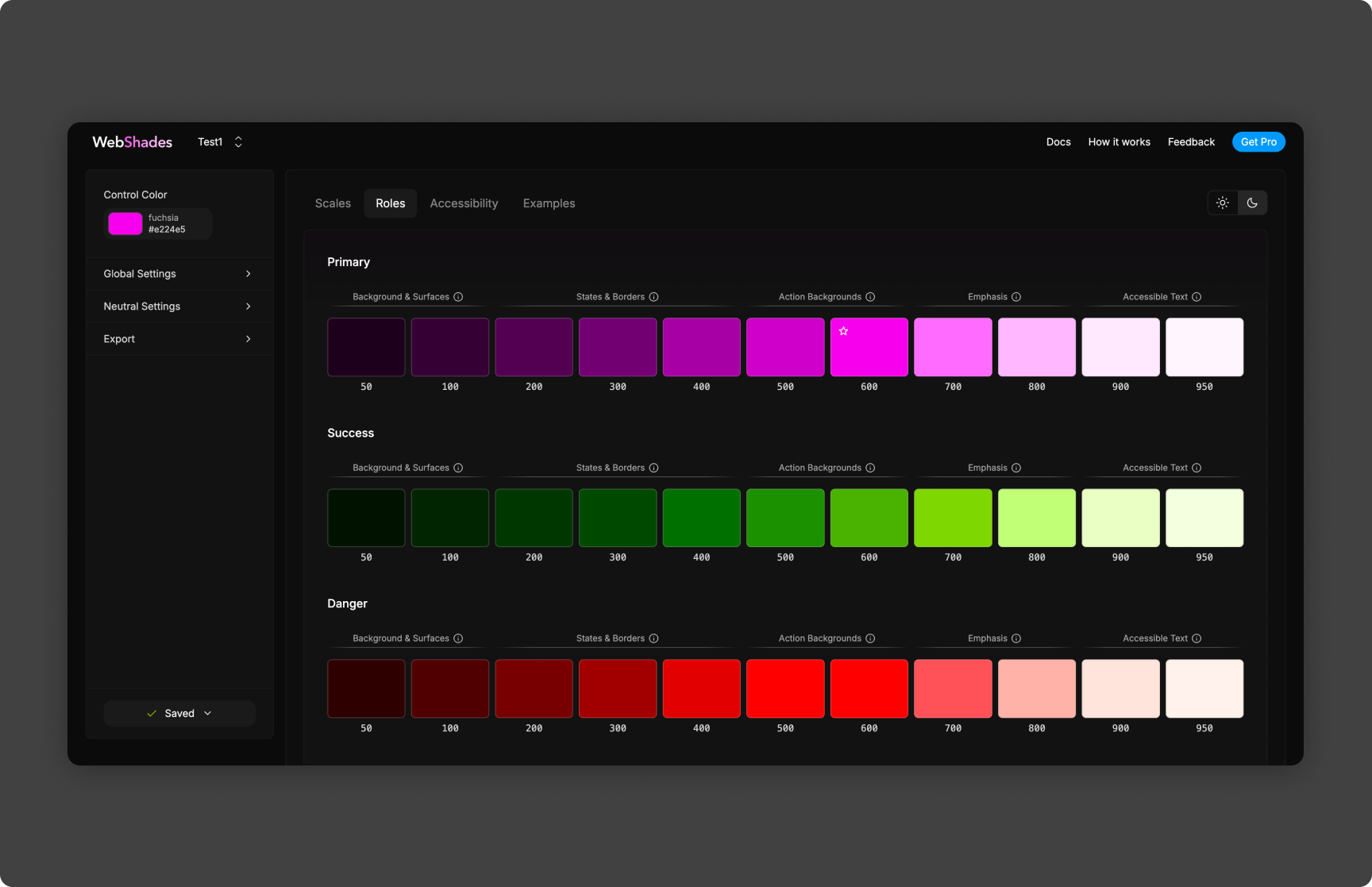
So I tried deriving colors instead of choosing them one at a time. That is the idea behind WebShades: you give it one color, and it generates a tonal scale with lighter and darker steps at consistent intervals. The primary color becomes an input instead of a fixed decision.
The generator is deterministic, so the same input always produces the same output. That felt limiting at first, but it turned out to be the most useful part. Consistency comes more from making the same decision reliably than from making a great decision every time.
Testing it on real components
Writing the generator was the easy part. Evaluating it was harder, because a palette can look fine as a row of swatches and still fail in an actual interface. Mid-tones that work for text can disappear as borders, and light surfaces can lose their hierarchy when foreground and background values get too close.
To test this, I built a live preview in React that applies the generated palette to real components as you change the input color: buttons, inputs, cards, disabled and hover states, and typography. Problems became visible right away.
What surprised me
The light end of the scale was consistently the hardest to get right. Saturated base colors looked good in the darker steps but fell apart in the lighter ones, with too little contrast for text, weak borders, and poor separation between surfaces. The math was correct, but the result did not look right to the eye.
I added a correction step that adjusts lightness non-linearly, keeping contrast near the ends of the scale without flattening the middle. That one change helped more than any amount of tweaking hue or saturation.
Theming was the other surprise. When a whole palette comes from one base value, switching themes stops being a long list of overrides and becomes a single parameter change. I have started thinking of a theme as a starting point the system knows how to expand, rather than a fixed set of colors.
Where I am using it now
I am applying the same idea in the component library I am building now. Instead of storing a full set of resolved colors for each theme, I store a base value and a generation strategy and derive the palette at build time. Names like neutral-high-monochrome and blue-medium-dual describe the strategy, not a specific list of swatches.
I am also curious whether the same approach works for typography scales, spacing, and border radius: fewer independent decisions, and more values derived from a few inputs. In the meantime, I still start new palettes in WebShades because it is faster than picking colors by hand and gives me a more consistent result.